
Daewoo Online Booking – How Do You Book Daewoo Bus Tickets Online?
Not sure how to book your Daewoo bus tickets online? Don’t worry, in this step-by-step guide, I have discussed all the possible ways how you can use the Daewoo online booking facility by sitting at home.
Since Daewoo Express bus service has been in Pakistan for over 2 decades, it has revolutionized the transport industry with its modern buses and state-of-the-art terminals. The travel company has adopted some strict policies for passenger safety, regular maintenance of buses, and on-time arrivals and departures, which make it stand out from other transport companies in Pakistan. Moreover, its top-notch customer support is available for travelers 24/7 for any queries or online Daewoo bookings.
Daewoo Online Booking
When it comes to online bus bookings, Daewoo offers several convenient ways for passengers to book their seats online. You can use mobile applications, helpline numbers, or third-party booking portals like Bookme.pk or SastaTicket to check ticket prices and reserve your seats in advance.
Moreover, easy payment gateways like Debit/Credit Card, JazzCash, and EasyPaisa make your Daewoo booking process fast, smooth, and secure. Also, the refund policy lets you get your money back in case you miss your bus. So, standing in long queues at terminal booking counters to get your bus ticket is no longer the only option now.
I have discussed all booking platforms in detail for your convenience. Want to know what is my favorite Daewoo online booking portal? Keep reading 🙂
Daewoo Online Booking Methods
Here is a list of all possible ways to reserve your seats online:
Daewoo Helpline Number
The most easy, fast, and reliable method of online seat reservation is Daewoo’s helpline number. Simply pick up your phone and dial the number below:
0304-1117008
The customer service center is available 24/7 to assist passengers with any inquiries. You can follow these simple steps for seat booking while talking with a support representative:
Note: You must reach the bus terminal at least 2 hours before the bus departure time, go to the ticket counter, show them the booking number, make the payment, and get your physical ticket.
Daewoo Online Booking Mobile Applications
Daewoo Express has launched the official mobile applications with online booking functionality. You can download the Android or IOS version from Google Play Store or Apple Store. Here are the links for your reference:
Moreover, here is the step-by-step guide with screenshots for online bus booking using the mobile apps:
Step 1:

Step 2:
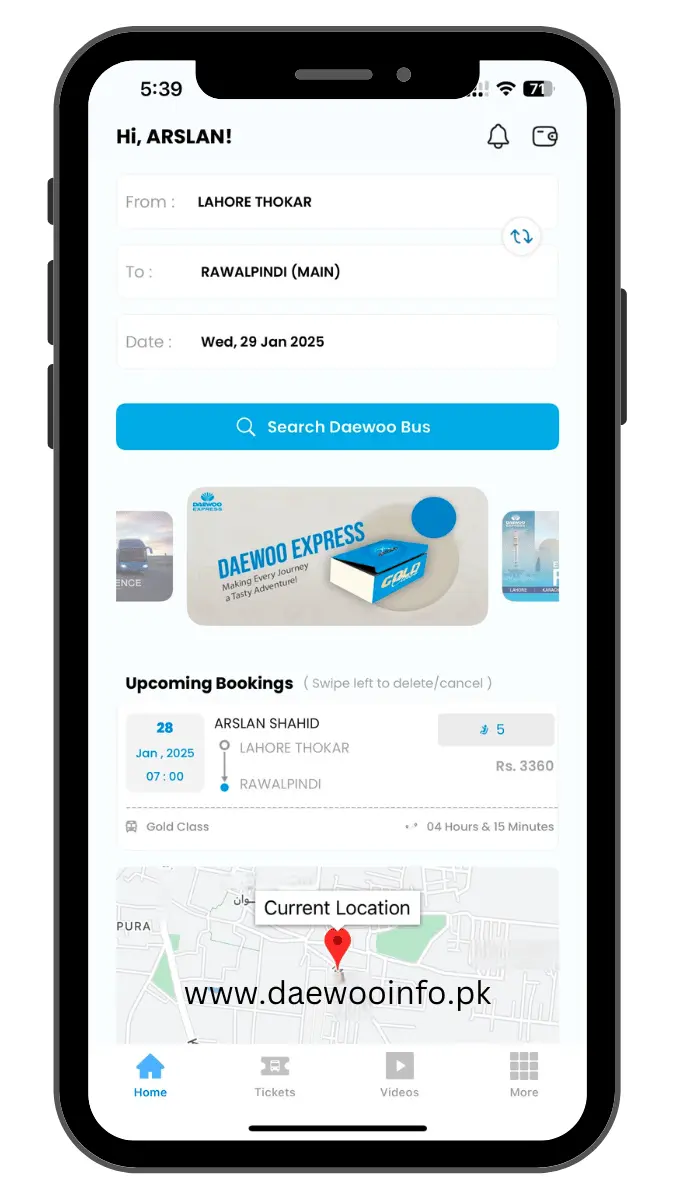
Step 3:
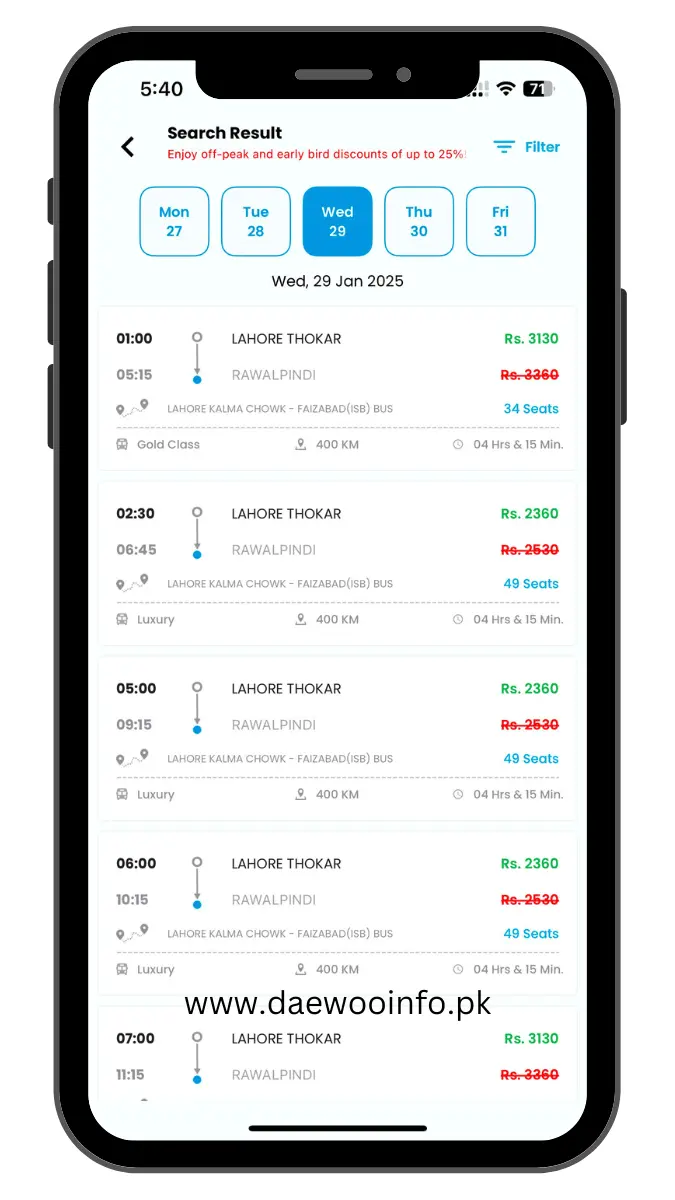
Step 4:

Step 5:

Bookme.pk – Website
Follow these guided steps to reserve your seat via the Bookme website:
Step 1:
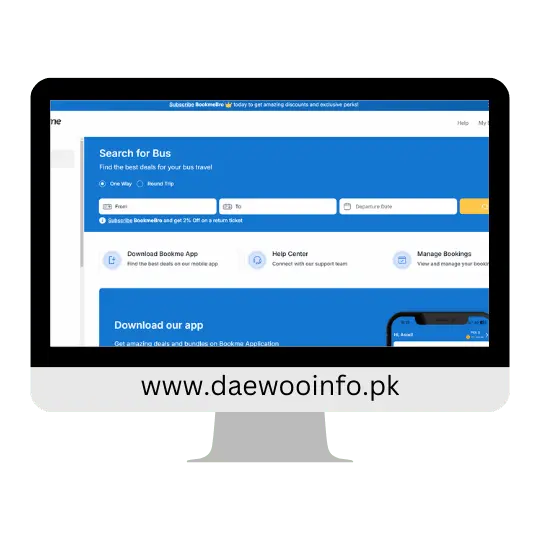
Step 2:
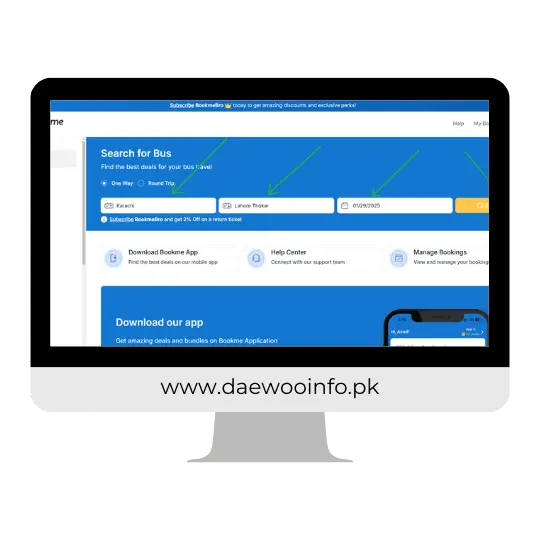
Step 3:
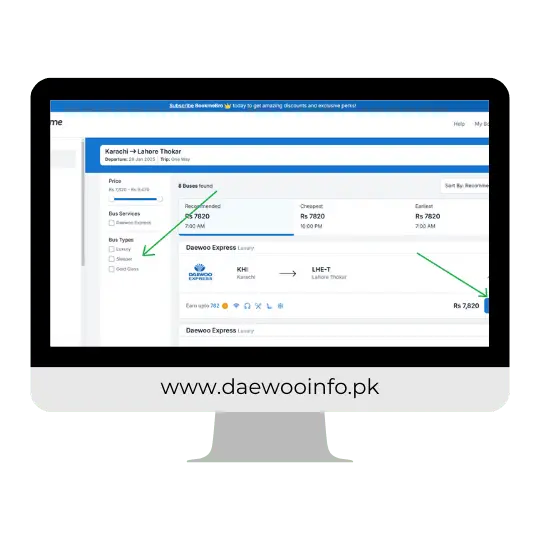
Step 4:
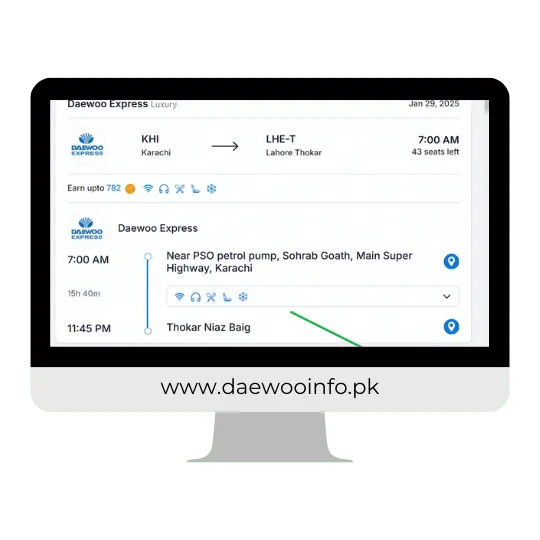
Step 5:

Step 6:

Step 7:
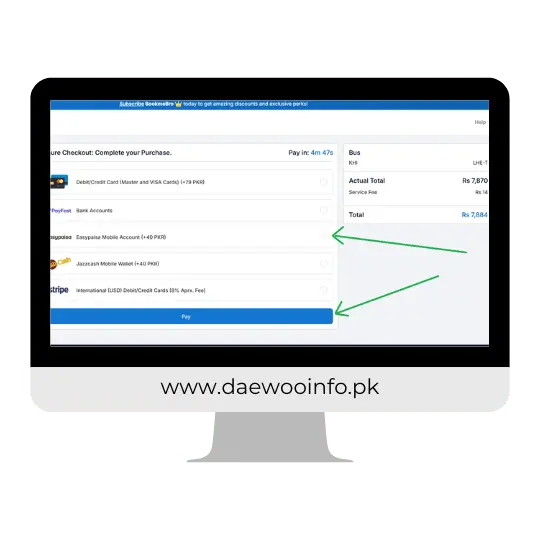
Bookme.pk – Mobile Application
Follow these steps to book your tickets via the Bookme mobile application:
Step 1:

Step 2:

Step 3:

Step 4:
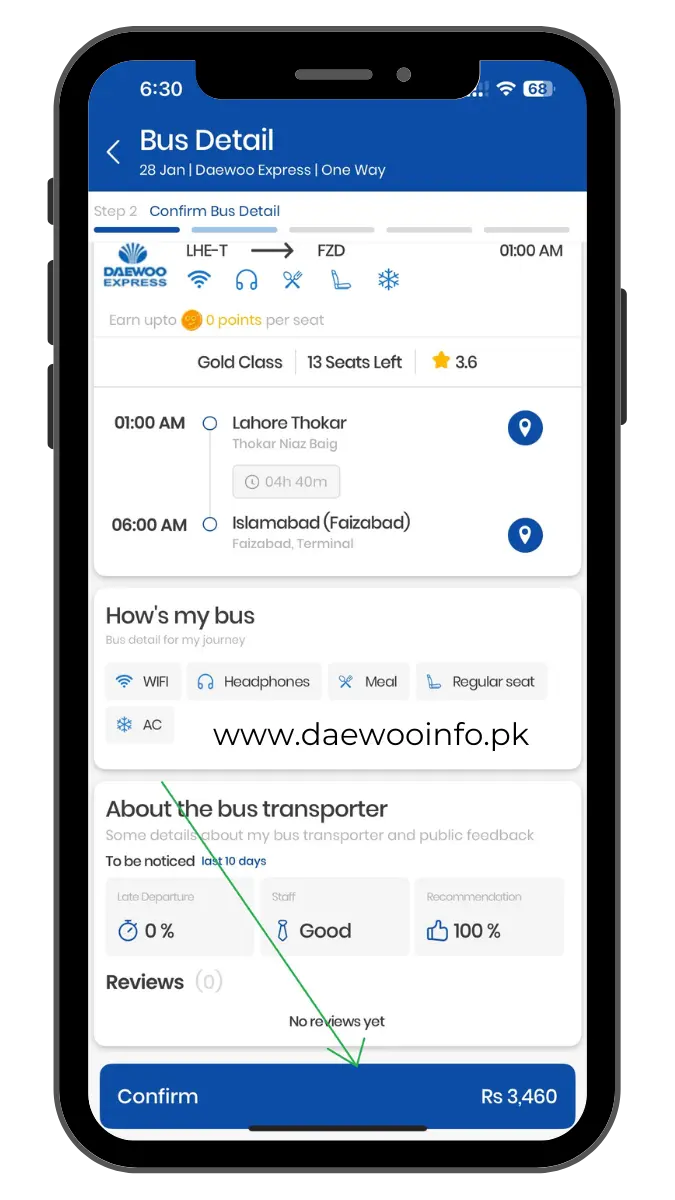
Step 5:
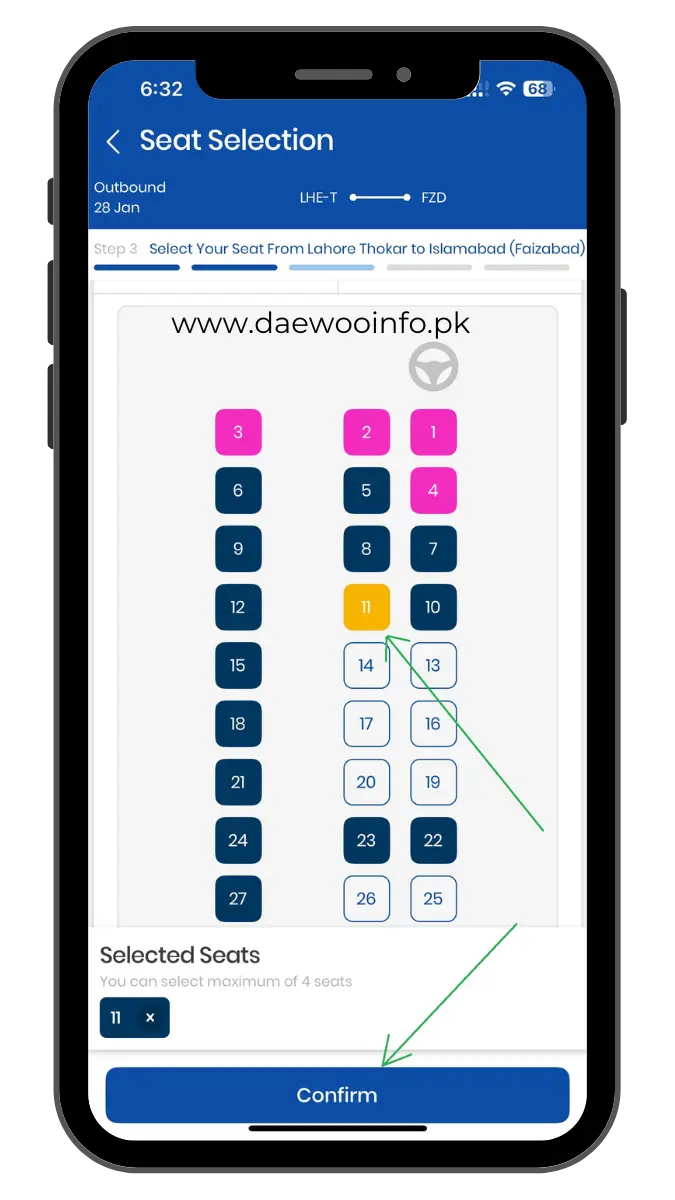
Step 6:

Step 7:

Step 8:

Sastaticket – Website
Follow these guided steps to purchase your bus ticket via the Sastaticket website:
Sastaticket – Mobile Application
Follow these simple steps to book your seats via the Sastaticket mobile app:
Step 1:

Step 2:
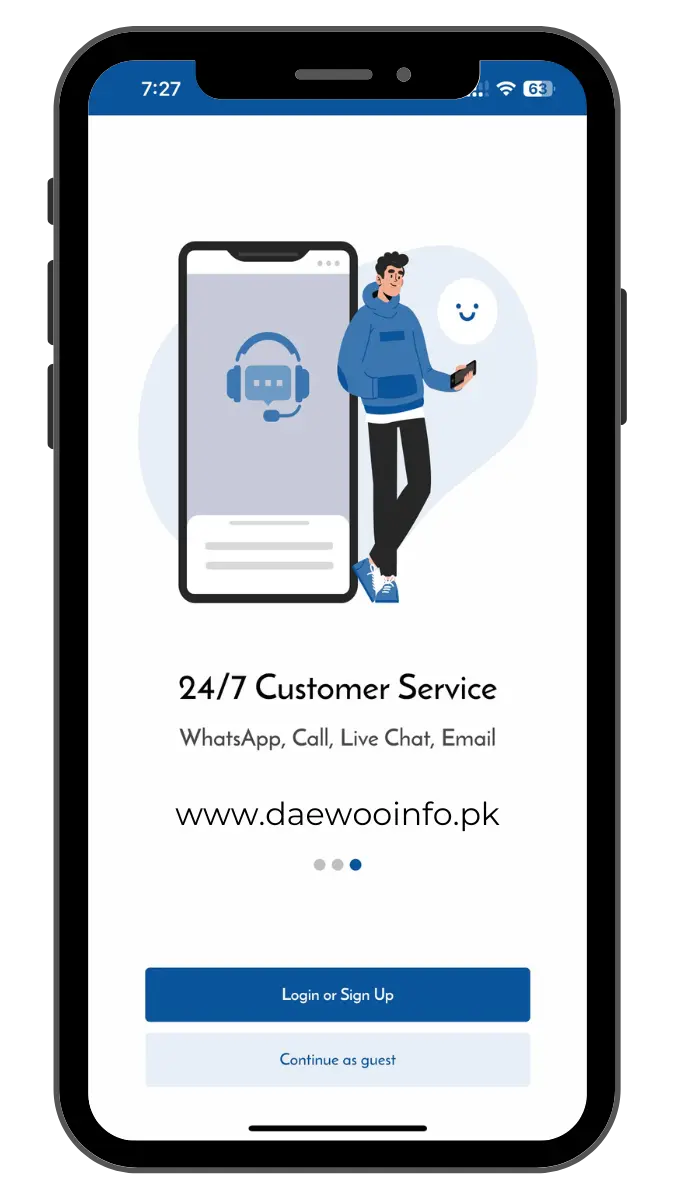
Step 3:

Step 4:
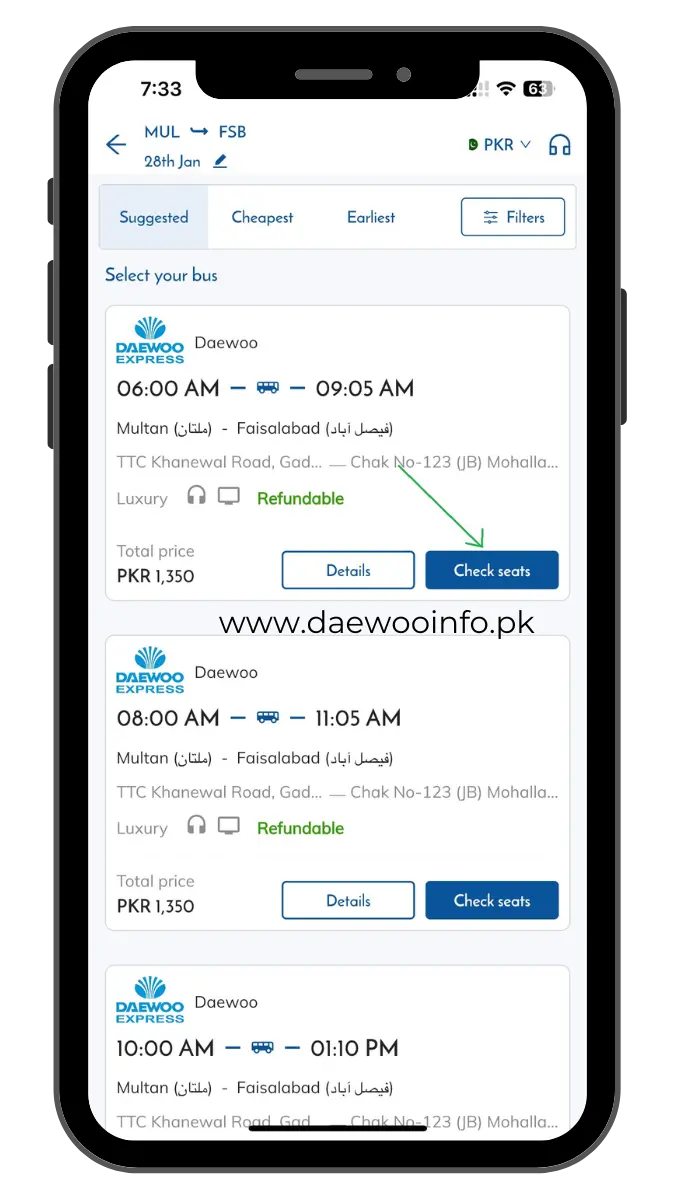
Step 5:

Step 6:

Step 7:

Step 8:

Accepted Payment Methods
The following payment methods are accepted by all Daewoo online booking portals and apps:
Debit/Credit Card
Making online payments via your debit/credit card is the most secure and easiest way. Simply enter your 16-digit card number, cardholder name, expiry date, and the 3-digit CVC number that is on the back side of your card. Now, make the payment and enjoy your travel with Daewoo Express.
In case you do not have a bank account or are not sure what is the difference between a debit and a credit card, do not worry, I will make things easy to understand for you. Almost every bank offers both debit and credit card facilities to their customers. The main difference between debit and credit card is that a debit card holder withdraws money from his bank account however the credit card holder can borrow money from his bank.
I hope I was able to make things simple for you. Now, select a bank e.g. Meezan Bank, Habib Bank Limited, or National Bank of Pakistan, open your account, and grab a debit/credit card. However, I have noticed that most transport companies offer huge discounts and offers to Alfalah Bank account holders.
EasyPaisa
Open your Telenor EasyPaisa account if you have not already. Select the EasyPaisa payment option on the checkout page. Make sure you have enough balance in your EasyPaisa Wallet, make the payment, and download your e-ticket instantly.
JazzCash
If you are a JazzCash user, simply select the JazzCash payment option on the checkout page. Make sure you have sufficient balance in your wallet, make the payment, and book your bus seat.
Bank Account – PayFast – RAAST
You can also make the online payment via your bank account, PayFast, or RAAST ID. Select the Bank Account on the checkout page, now select Bank Account or RAAST. Select your bank, enter your account number, enter your CNIC number, or enter the RAAST ID/IBAN, make the payment, and download your bus ticket.
Stripe
If you are an overseas Pakistani and want to book seats for yourself or your loved ones, get excited. Daewoo offers the Stripe payment option for international transactions. Use your international USD debit/credit card to reserve seats online.
What Is My Favorite Online Booking Portal?
Well, based on my personal travel experience with Daewoo online booking, I would recommend you use the Bookme mobile application for online and advanced ticket bookings. Sign up on Bookme and turn on the email newsletter to get frequent discounts and offers for your next bookings. Moreover, the helpline option is also good but during the peak seasons or weekends, you may find the line is very busy.
Why Book Tickets Online?
In this digital era, the online booking option is the best choice for passengers. However, here are a few facilities that emphasize the importance of online reservations:
Time-Saving:
There is no need to go to the bus terminal, stand in the long queues, and wait for your turn to reserve your seat. Simply download the mobile apps and make online ticket bookings anytime, anywhere.
24/7 Availability:
Book anytime 24 hours a day without the fear of opening and closing hours at the bus terminals.
Easy Access to Information:
From bus timings to ticket prices, seat availability, routes, and discounts, all information is available on booking portals.
Secure Payment Options:
Daewoo offers the most secure payment options like debit/credit cards, Easypaisa, JazzCash, and Stripe for online transactions.
Instant Booking Confirmation:
As soon as you make the payment, you will receive an SMS or email for instant online seat booking.
How To Request A Refund?
Note: If a passenger cancels an advance ticket before departure, he will be charged a 30% cancellation fee.
How To Book Daewoo Tickets Online?

Infographic – 6 steps to book your online tickets



karachi is not showing in your app ?? kndly tell me what is the reason behind this.
Please update your application and try again 🙂